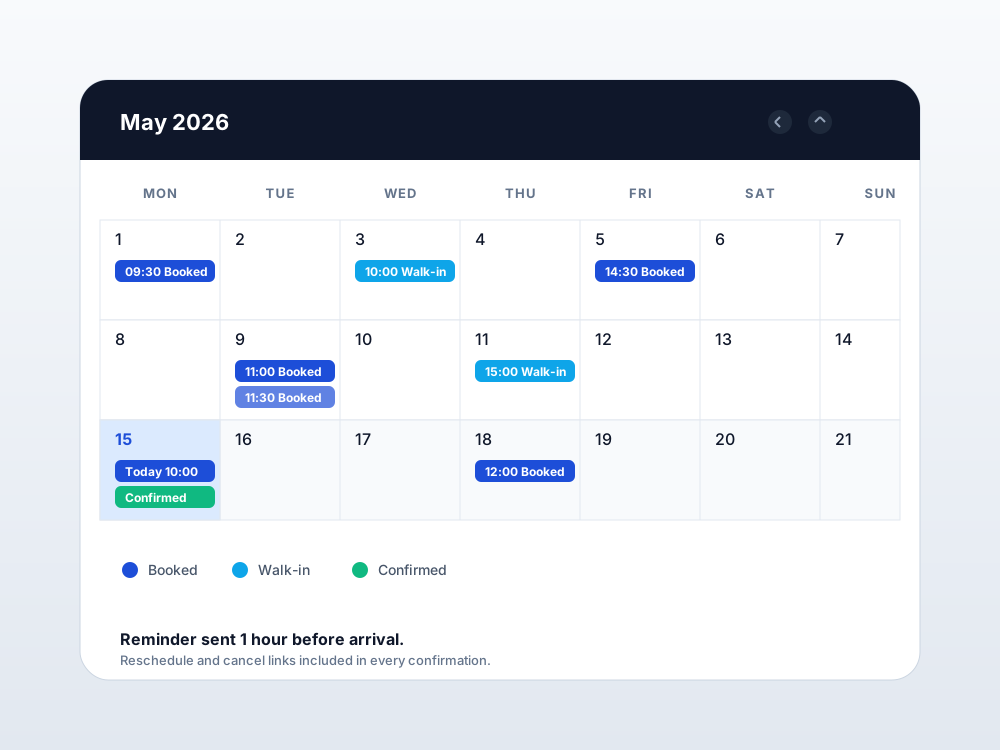
Online booking that respects counter capacity
Slots are tied to live counter availability, so you cannot accidentally over-book Tuesday morning.
Used in clinics, banks, and public service offices
Let visitors book a slot online or take a token at the door. Your counters run the same way for both, and you can finally answer “how busy was Tuesday morning?” without guessing.
How it works
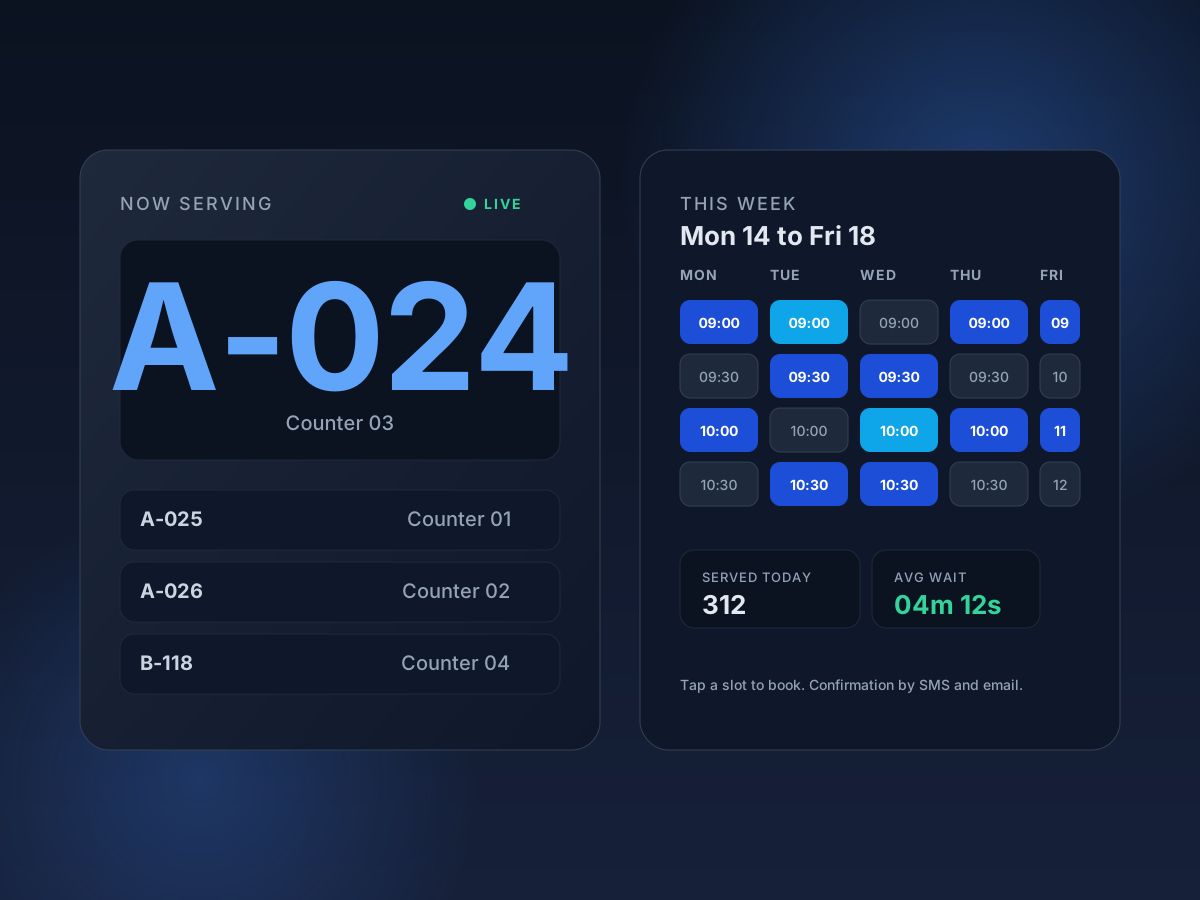
The simplest way to picture QPass Global is to walk through a normal visit.
A patient books a 10:30 slot from your website; a walk-in scans a QR at the entrance. Both end up holding the same kind of token.
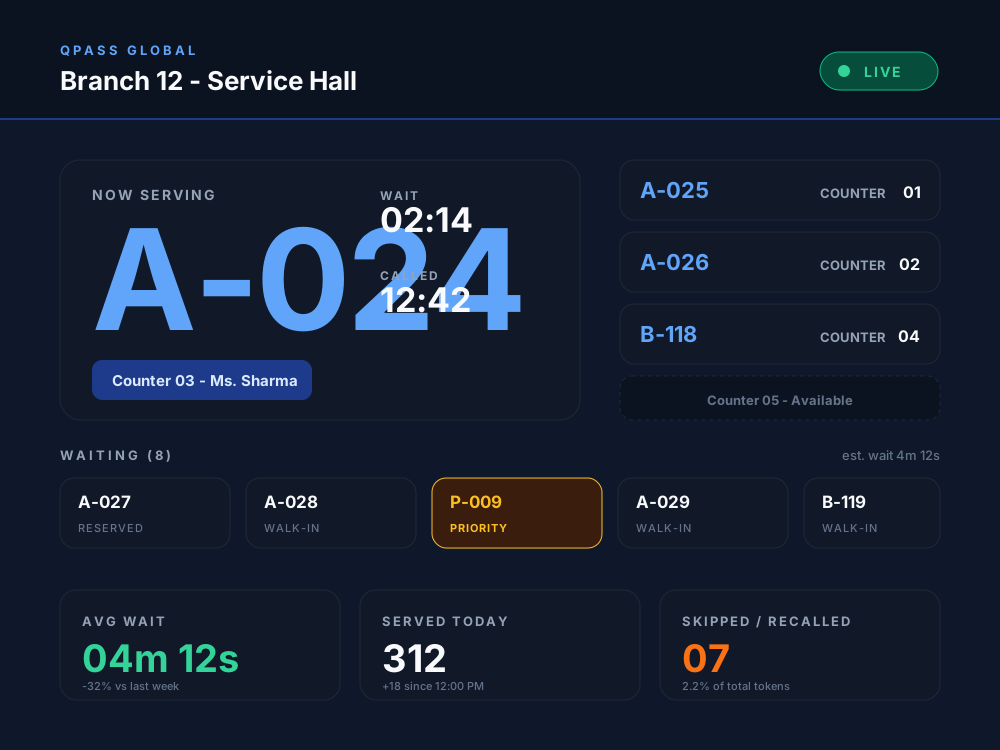
Routing rules send dermatology to room 4, loans to counter 2, and priority tokens to a dedicated lane. Operators see the queue in order.
Big screens call the next token. SMS pings the visitor if you turn that on. Skipped tokens are recalled with one button — no shouting names.
End of day: how many were served, peak hour, average wait, busiest counter, how many bookings turned into actual visits. Exportable.
Every capability below exists because someone at a counter or a manager's desk asked for it. No experimental modules hiding behind toggles.
Slots are tied to live counter availability, so you cannot accidentally over-book Tuesday morning.
Set up a teller counter with two cash sub-counters; route VIP and elderly tokens to a separate lane.
Use a single TV in the lobby or twelve screens across floors. Each plays its own configured queue.
Number ranges and colours so visitors quickly see whose turn it is and where to go.
Call, recall, skip, complete, transfer. Keyboard shortcuts for high-volume counters.
Add the second branch by creating a new branch row. Counters and services are scoped per branch automatically.
Why teams pick QPass Global
Most service desks run on two disconnected tools: a booking page somewhere on the website, and a paper or basic token machine in the lobby. QPass Global joins them, so a booking becomes a real token, a recall is one button, and a manager can see the day at a glance.
When someone books a slot online, the token is generated for the right counter automatically. No copy-paste between calendars and a separate display.
Call, recall, transfer, skip, complete. Sub-counters for specialist services. Priority tokens for elderly and differently-abled visitors. The buttons are where operators expect them.
Wait time, serve time, peak hour, busiest counter, and where people abandoned. Numbers you can take into a Monday meeting and act on.
Big, readable displays. Tokens with bilingual labels where needed. SMS and email confirmations that read like a normal message, not a corporate template.
A pilot in a single clinic uses the same code that a 200-branch bank runs in production. Add branches, services, and operators without re-architecting anything.
A demo is a working environment, not a slide deck. You can replay it, share it, and try the operator screen before procurement starts asking questions.
Whether your priority is shortening queues at a single clinic or standardising service across a region, QPass Global gives you appointments and queues in one place so the visitor sees one journey, not two systems patched together.
The platform is intentionally generic at the data layer — the same code serves a rural clinic and a high-volume retail service desk. Below are the rollouts our team supports today.
Hospitals & clinics (OPD + IPD)
Online OPD booking, doctor-wise tokens, IPD admission and discharge counters, pharmacy and billing queues. Priority lanes for senior citizens and emergencies.
Retail, telecom & service desks
Sales, returns, post-paid support, partner counters. Reduce visible queue length without adding staff.
Operating in multiple countries? See the industries page for a sector-by-sector view, or contact us for a rollout plan.
Most teams begin with one side and switch the other on later. Both are designed to work standalone, and together they save a lot of duplicate work.
Tell us about your branches and how many visitors you serve in a day. We'll pre-load a working environment for the demo so you can poke at it before deciding.
Request a demoHospitals (OPD and IPD), multi-specialty clinics, and large retail, telecom, and service-desk counters. Anywhere visitors arrive, take a token, and wait to be served.
Yes. QPass Global runs OPD appointment booking, doctor-wise slots, walk-in OPD tokens, department routing (cardiology, ortho, paediatrics, gynae, ENT, general), and queue displays at registration and corridors. Walk-ins and booked patients share the same fair queue.
Yes. The IPD playbook covers admission desk tokens, discharge counter status (in-progress, awaiting bill, ready), IPD pharmacy queues separated from OPD pharmacy, IPD billing and TPA counters with an audit trail, and visitor pass tokens with timing windows.
Yes. You publish service types and time slots, visitors pick one from a public booking page, and the token shows up at the counter on the booked time. Walk-ins still work alongside booked slots.
Managers see counter status, current token, average serve time, and number of people still waiting. Staff use a simple panel to call, recall, skip, or transfer a token.
One installation can run many branches. Each branch keeps its own counters, services, and operators, and the dashboards roll up across the organisation.
Tell us your country, city, and roughly how many visitors you serve. A specialist replies by email, shares a recorded walkthrough, and then schedules a working session.
Yes. Pricing is sized by counters and locations, so a single-branch clinic pays much less than a 200-branch bank. We share a quote after the discovery call.
Tell us roughly how many visitors a day, which services, and how many branches. We send a written reply with next steps the same working day.
Open the full contact page →